15 Sept 2014

WakeVoice - vocal alarm clock v5.5 APK

ဖုန္းကိုင္းေဆာင္သူမ်ားအတြက္ကေတာ့ ဒီေကာင္ေလးကေတာ့ လန္းခ်က္ကေတာ့ လန္းထြက္ေနတာပဲ့
ဗ်ာ။အိပ္ရာထမွာမႏိုးျဖစ္ေနတယ္သူမ်ားအတြက္ ကိုင္းေဆာင္ထားတဲ့ဖုန္းေလးနွင့္Voiceေလးေပးျပီး အိပ္ရာေပၚထေအာင္းလုပ္ေပးနိုင္တဲ့ ေကာင္ေလးဗ်ာ။ေဘာ္ေတာ္တို႔အေနနဲ့အလုပ္လုပ္ျပီးပင္းပန္းေနတယ္။
ေနာက္တစ္ရက္မထခ်င္းဘူးျဖစ္ေနတယ္ဆိုရင္ ဒီ apkေလးအသံေလးေပးျပီး ေနာက္ရက္ေတြကိုလည္း အဆင္ေျပစြာျဖစ္လုပ္နုိင္ပါတယ္ေနာ္။ဒါေၾကာင့္ဒီေကာင္ေလးကိုသံုးထားသင္တယ္လိုထင္ပါတယ္။


မိမိတို႔ဖုန္းကို ေနေရာင္ၿခည္နဲ႔အားသြင္းမယ္Solar Charger Faster Apk

Android ဖုန္းကိုင္ေဆာင္က်တဲ႔သူငယ္ခ်င္းမ်ားအတြက္ ေနေရာင္ၿခည္နဲ႔ ဖုန္း Battery သြင္းလို႔
ရမဲ႔ Solar Charger Faster Apk ေလးတင္ေပးလိုက္ပါတယ္။Play Store မွာေတာ႔လူႀကိဳက္မ်ားၿပီး 
နာမည္ရတဲ႔ Apk ေလးတစ္ခုၿဖစ္ပါတယ္။လမ္းသြားလမ္းလာ Battery ကုန္မွာမေႀကာက္ရေတာ႔ဘူးေပါ႔ဗ်ာ။
Android Version 2.2 အထက္မွာအသံုးၿပဳႏုိင္ပါတယ္။
အဆင္မေၿပရင္ေၿပာခဲ႔ပါခင္ဗ်ာ။

ဝင္းလႈိင္(နည္းပညာ)

ေမတၱာရပ္ခံခ်က္=ေအာက္တြင္ ေၾကာ္ျငာ ကလစ္ေပးခဲ့ပါေနာ္

★★ Evaer Video Recorder for Skype 1.5.8.29 + Keygen ★★

ဒီေကာင္ေလးကေတာ့ Skype video နဲ႔ audio calls ေတြမွာ interviews, conferences, podcasts, or family VoIP calls အစရွိတာေတြကို AVI movies ျဖင့္ Recording လုပ္ေပးႏိုင္တဲ့ ေဆာ့စ္၀ဲပဲျဖစ္ပါတယ္
screen-capture recorder ေတြကို video quality အေကာင္းဆုံးထုတ္လုပ္ေပးပါတယ္။ Full ျဖစ္ေစဖို႔
အတြက္ Keygen ကိုထည့္သြင္းေပးထားပါတယ္။အင္စေတာလုပ္နည္းကိုေဒါင္းေလာ့စ္ဖို္င္ထဲမွာအရင္ဖတ္ပါ


Recording your Skype video and audio calls into AVI movies. Easy to use for your Skype video and audio interviews, conferences, podcasts, or family VoIP calls. Evaer records Skype with capturing original media data and there is no data loss. It is not a screen-capture recorder, video quality is not affected at all if you resize Skype video windows while recording.

Evaer - excellent Skype video & audio recorder features:
- Capture original Skype video and audio data to record with high quality.
- Support recording single Skype video call, Skype screen sharing session and up to 10 ways Skype group video calls.
- Directly record Skype video calls to your hard disk with side-by-side or separate files mode.
- Record separate MP3 audio file in the video calls is optional.
- Choose the video compressor by your requirement.
- Automatic chat reply.
- Easy to use with friendly UI.
- Free download to try and free to upgrade.

================
[INSTALL NOTES]
================

(1): Please use 7Zip/WinRAR/Universal Extractor to EXTRACT FILES
(2): run the setup
(3): Use the given keygen to activate
(4): Enjoy and Support Developers, Buy It, They Deserved It!


က်ြန္ေတာ္တင္သမွ်ပိုစ့္ေတြ Facebook ကေနရယူခ်င္တယ္ဆိုရင္  ဒီမွာ Like ႏွိပ္ပါ။
မန္ဘာ၀င္ခဲ့ျခင္းျဖင့္ ပိုစ့္အသစ္တင္တိုင္း မိမိ Gmail ထဲကိုတိုက္ရိုက္ေရာက္ရွိမည္ျဖစ္ပါသည္။
ထို႔ေၾကာင့္မန္ဘာ၀င္ခဲ့ဖို႔ဖိတ္ေခၚပါတယ္။


Thank You For Downloading And Dont Forget to Clicking Once on a Ad Banner.
အဆင္ေျပတယ္္ဆိုရင္ေတာ့ေၾကာ္ျငာမ်ားကို  ကလစ္ခဲ့ပါခင္ဗ်ာ။


★★နည္းပညာၿမိဳ႕ေတာ္★★


★★ Fun Face Master 1.71 Final + Key ★★

ဒီေကာင္ေလးကေတာ့အသင့္ပါလာတဲ့  face နဲ႔ body ပံုေတြမွာမိမိၾကိဳက္ရၾကိုအစားထိုးႏိုင္တဲ့ photo edit software ေလးပဲျဖစ္ပါတယ္။templates. Holiday, Roll Play, Celebrity ေပါင္း 200 ေက်ာ္ပါ၀င္ပါတယ္။
ကိုယ္ပိုင္ template ေတြေရးဆြဲႏိုင္သည့္အျပင္ joke photo ေတြလည္းပါ၀င္ပါတယ္။Full ျဖစ္ေစဖို႔အတြက္
Key ကိုထည့္သြင္းေပးထားပါတယ္။အင္စေတာလုပ္နည္းကိုေတာ့ေဒါင္းေလာ့စ္ဖိုင္ထဲမွာအရင္ဖတ္ပါ။

Fun Face Master is a fun photo edit software. You can use it to replace face on any body. Just 3 clicks, you can put the Superman face replaced with your face. Or let your turned into Soldiers, Knight, Nuns, Mona lisa, Astronaut, President etc. The software include more than 390 high quality funny templates, or you can use the Mask Edit Tools to create your own template. Create a joke photo to shake your friends now!

Top New Features of Fun Face Master:

1. 200+ high quality templates. Holiday, Roll Play, Celebrity etc.
2. The Mask Edit Tool will help you create your own templates.
3. Adjust photo is very easily and quickly.
4. Share photo with your friends. Put it to Facebook, blog etc.
5. Add Text to your amazing photo.

Supported OS: Windows XP, Windows Vista, Windows 7, Windows 8

What's new in version 1.71:
- Fixed drag drop bug Semi-transparent image can not display when dragging
- Fixed some bugs.


================
[INSTALL NOTES]
================

(1): Please use 7Zip/WinRAR/Universal Extractor to EXTRACT FILES
(2): run the setup
(3): Use the given serial key to activate
(4): Enjoy and Support Developers, Buy It, They Deserved It!


က်ြန္ေတာ္တင္သမွ်ပိုစ့္ေတြ Facebook ကေနရယူခ်င္တယ္ဆိုရင္  ဒီမွာ Like ႏွိပ္ပါ။
မန္ဘာ၀င္ခဲ့ျခင္းျဖင့္ ပိုစ့္အသစ္တင္တိုင္း မိမိ Gmail ထဲကိုတိုက္ရိုက္ေရာက္ရွိမည္ျဖစ္ပါသည္။
ထို႔ေၾကာင့္မန္ဘာ၀င္ခဲ့ဖို႔ဖိတ္ေခၚပါတယ္။


Thank You For Downloading And Dont Forget to Clicking Once on a Ad Banner.
အဆင္ေျပတယ္္ဆိုရင္ေတာ့ေၾကာ္ျငာမ်ားကို  ကလစ္ခဲ့ပါခင္ဗ်ာ။


★★နည္းပညာၿမိဳ႕ေတာ္★★


14 Sept 2014

★★ Green Screen Wizard Pro 8.1 Final + Keygen ★★

ဒီေကာင္ေလးကေတာ့ Photo backgrounds ေတြကို special effects ေတြနဲ႔ မိမိၾကိဳက္သလိုဒီဇိုင္းေတြ
ထည့္သြင္းႏိုင္တဲ့ Green Screen Wizard Pro ေလးပဲျဖစ္ပါတယ္။မိမိအလိုမရွိေနာက္ခံေတြကို remove
လုပ္ႏိုင္ျပီးသူ႔မွာပါ၀င္တဲ့  special effects ေတြနဲ႔ ေရာသမေမႊ လို႔ရပါတယ္။ Full ျဖစ္ေစဖို႔အတြက္
Keygen ေလးကိုထည့္သြင္းေပးထားပါတယ္။အင္စေတာလုပ္နည္းကိုေဒါင္းေလာ့စ္ဖိုင္ထဲမွာ အရင္ဖတ္ပါ။


Green Screen Wizard Pro is packed with advanced features to help free your creativity, and run a Green Screen Photography business. It offers our unique sandwich overlays, the pick function, a shadow generator and very cool special effects that include silhouettes and blurred backgrounds.

Here are some key features of "Green Screen Wizard":
Full featured program, not a plug-in
Controls for Exposure, Color Balance
Controls for Moving, Scaling and Rotation
Controls for giving Green Screen Wizard information on how to best remove the green
Supports many output sizes and resolutions.
Remove dark or inconsistent areas from green background
Reality Integration
Coded in C++
Supports ICC profiles


================
[INSTALL NOTES]
================

(1): Please use 7Zip/WinRAR/Universal Extractor to EXTRACT FILES
(2): run the setup
(3): Use the given keygen to activate
(4): Enjoy and Support Developers, Buy It, They Deserved It!


က်ြန္ေတာ္တင္သမွ်ပိုစ့္ေတြ Facebook ကေနရယူခ်င္တယ္ဆိုရင္  ဒီမွာ Like ႏွိပ္ပါ။
မန္ဘာ၀င္ခဲ့ျခင္းျဖင့္ ပိုစ့္အသစ္တင္တိုင္း မိမိ Gmail ထဲကိုတိုက္ရိုက္ေရာက္ရွိမည္ျဖစ္ပါသည္။
ထို႔ေၾကာင့္မန္ဘာ၀င္ခဲ့ဖို႔ဖိတ္ေခၚပါတယ္။


Thank You For Downloading And Dont Forget to Clicking Once on a Ad Banner.
အဆင္ေျပတယ္္ဆိုရင္ေတာ့ေၾကာ္ျငာမ်ားကို  ကလစ္ခဲ့ပါခင္ဗ်ာ။


★★နည္းပညာၿမိဳ႕ေတာ္★★


♪ ဖုန္းထဲမွာတင္ Video မ်ားကို Edit & Create ျပဳလုပ္ေပးႏိုင္မယ့္ - VivaVideo Pro: Video Editor v3.3.1 Apk ♫

VivaVideo Pro: Video Editor v3.3.1 Apk

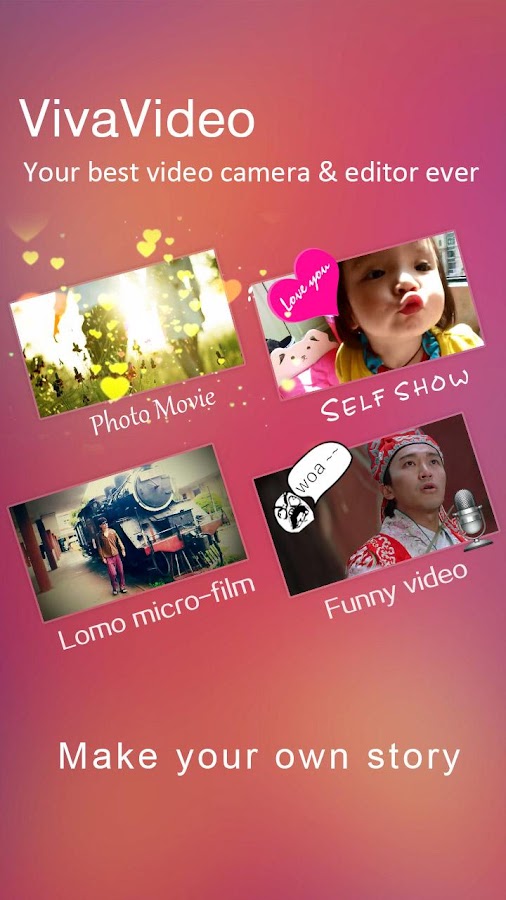
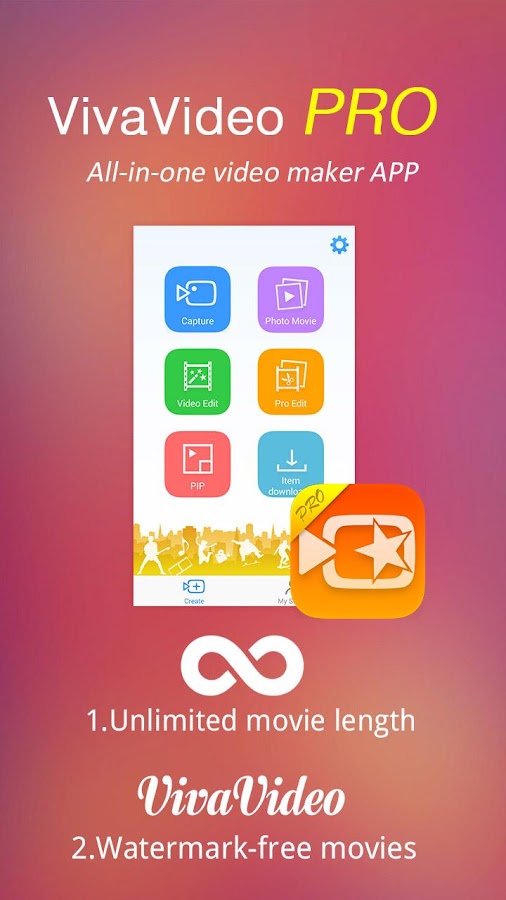
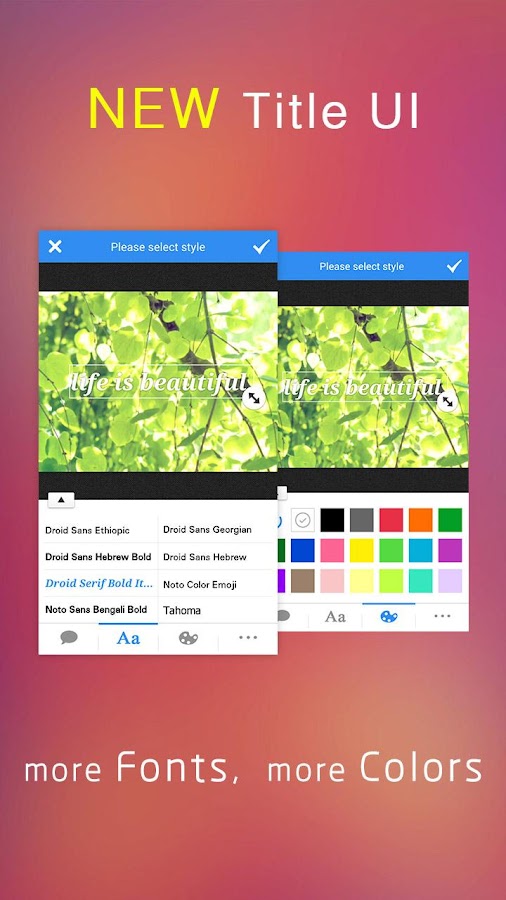
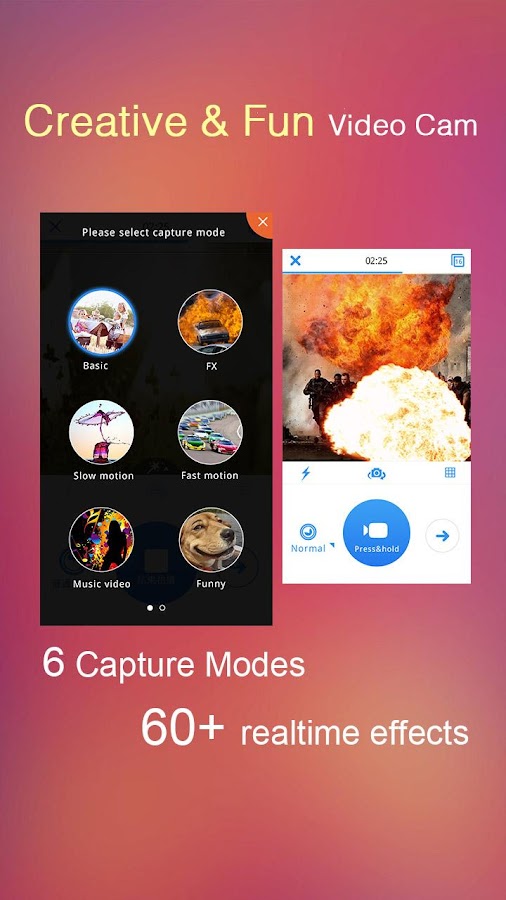
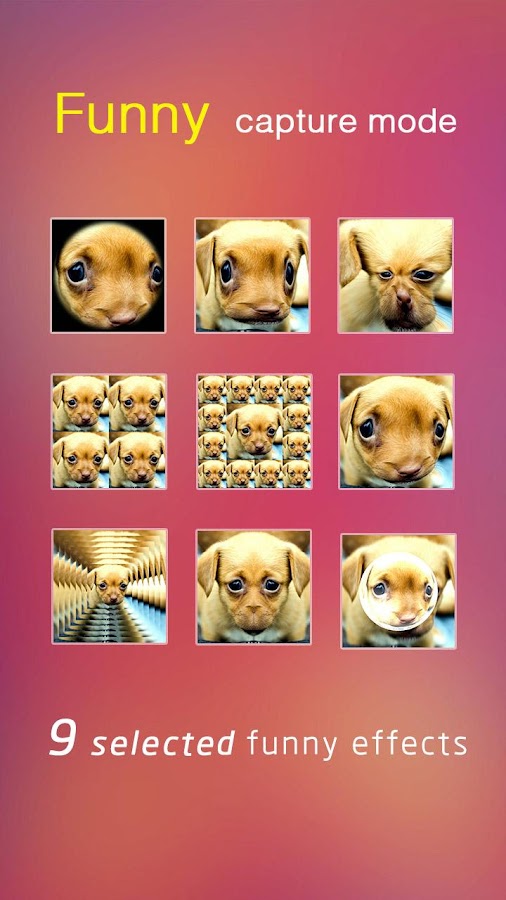
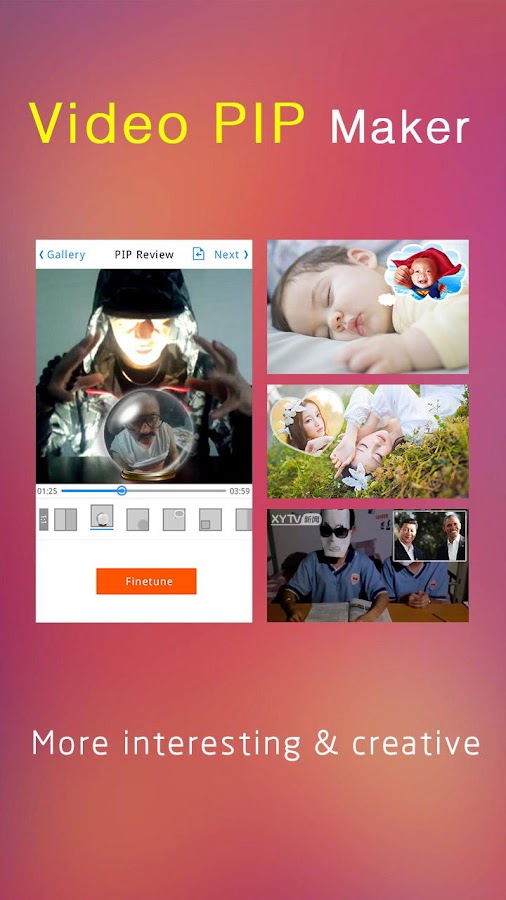
ဒီေကာင္ေလးကေတာ့ မိမိၾကိဳက္ႏွစ္သက္တဲ့ video ေလးေတြကိုအေကာင္းဆံုး တည္းၿဖတ္ေပးႏိူင္မယ့္ VivaVideo Pro: Video Editor v3.3.1 ေလးပါ ။ video ေတြကိုမိမိလိုသလိုအလြယ္တကူတည္းၿဖတ္ႏိူင္ၿပီး မိမိၾကိဳက္တဲ့ video ေတြထဲက မိမိၾကိဳက္ႏွစ္သက္တဲ့အခန္းေလးေတြကို ဓာတ္ပံုေတြအၿဖစ္နဲ႕ပါထုတ္ႏိူင္ၿပီး video ေတြကိုလဲ mp3 သီခ်င္းေတြၿဖစ္တဲ့ audio ေတြအၿဖစ္သို႕ေၿပာင္းထုတ္ႏိူင္ပါေသးတယ္ ။ ရီစရာဟာသ Video ေလးအျဖစ္လည္း ဓါတ္ပံုမ်ား Video မ်ားကိုဖန္တီးေပးႏိုင္ပါေသးတယ္။ မိမိၾကိဳက္တဲ့ effect လွလွေလးေတြနဲ႕အလန္းစားေလး ၿပင္ႏိူင္သလို  subtitles အေနနဲ႕စာတန္းေလးေတြပါထည့္ထိုးႏိူင္ပါတယ္ ဒါ့အၿပင္ဓာတ္ပံုေတြသီခ်င္းေတြနဲ႕ ဖန္တီးယူႏိူင္သလိုလိုင္းထဲကိုလဲတခါတည္းရွယ္ႏိူင္ပါတယ္ ။ Feature အေသးစိတ္ကိုေတာ့ ေအာက္မွာေရးျပထားပါတယ္ဗ်ာ။ Application ေလးရဲ႕ပံုစံကိုၾကည့္ႏိုင္ဖို႕ Screen ေတြ ကိုေအာက္မွရိုက္ျပထားပါတယ္ဗ်ာ။ Android OS 2.3.3 ႏွင့္အထက္ဖုန္းမ်ားမွာအသံုးျပဳႏိုင္မွာျဖစ္ပါတယ္ဗ်ာ။


Key Features:
**Creative & Fun video cam**
– First video camera on Android to support multi capture modes: normal/FX/funny/music video/fast-motion/slow-motion
– Built-in 60+ cool live video effects and more can be downloaded for FREE!
– Unique storyboard shooting style to tell your own story easily.
**Quick photo movie maker**
– Create the great video slideshow from your album less than one minute!
**Video PIP(Picture in Picture) maker**
– Merge clips with stylish templates, more funny and creative
**Easy but Powerful video editor**
– Provide quick & professional editing modes for normal and pro users
– Multi trimmer for single video
– Storyboarding editing, easy to merge videos and make the montage.
– One click to enhance your videos using stylish themes
– Highlight your videos with filters, FX, transitions, titles, music and live dubbing.
– All editing operations can be instant previewed in WYSIWYG way
– Editing session can be saved for later
– More themes, effects, filters, titles and transitions can be downloaded for FREE!
**Export and share**
– Export your videos to the gallery
– Share your masterpieces to facebook, youtube, instagram, vine, email and etc
What’s New
v3.3.1 updates:
1. Fix the bug which video exporting not working for some phone models


VivaVideo Pro: Video Editor - screenshot     VivaVideo Pro: Video Editor - screenshot

VivaVideo Pro: Video Editor - screenshot      VivaVideo Pro: Video Editor - screenshot

VivaVideo Pro: Video Editor - screenshot thumbnail      VivaVideo Pro: Video Editor - screenshot

VivaVideo Pro: Video Editor - screenshot      VivaVideo Pro: Video Editor - screenshot


**  Step-1.ေအာက္က Download Button ကိုႏွိပ္လိုက္ပါ

**  Step-2. "5sec". ေလာက္ေစာင္႕ေပးပါ။

**  Step-3. "  << SKIP AD >>   ".ကိုႏွိပ္ေပးပါ။

**  Step-4. Download Link က်လာပါလိမ္႕မယ္။

**  အဆင္ေျပပါေစဗ်ာ။


★★ Active File Recovery 13.0.15 Final + Crack ★★

ဒီေကာင္ေလးကေတာ့ မိမိကြန္ျပဴတာမွာ မေတာ္တဆ deletion လုပ္မိတာေတြ ၊ disk formatting လုပ္
မိတာေတြအျပင္ virus ေတြရဲ႕တိုက္ခိုက္မႈ႕ေၾကာင့္ ပ်က္စီးသြားတာေတြကိုျပန္ျပီး Recovery လုပ္ေပးႏိုင္
တဲ့ Active File Recovery 13.0.15 Final ေလးပဲျဖစ္ပါတယ္။Full ျဖစ္ေစရန္အတြက္ကိုလည္း Crack ဖိုင္
ေလးကိုထည့္သြင္းေပးထားပါတယ္။အင္စေတာလုပ္နည္းကိုေဒါင္းေလာ့စ္ဖိုင္ထဲမွာ အရင္ဖတ္ပါ။


Active@ File Recovery for Windows provides the ability to effectively detect and recover files and disks lost due to accidental deletion, disk formatting, virus and other reasons. Active@ File Recovery Professional package also includes integrated Disk Editor (HEX Viewer) - utility for low-level data inspection, Active@ Partition Recovery - tool used to recover deleted or damaged volumes, and Active@ File Organizer - utility to organize/rename files after a catastrophic data loss.


Features:

* Support for exFAT, Unix UFS, Apple HFS+ and Linux Ext2/Ext3/Ext4fs file systems
* Support for 4096 byte sector size HDDs
* Support for RAW-Compressed images and RAW images manually composed from several chunks
* Support for VMWARE & VirtualPC HDD images: open and work as with regular HDDs
* New built-in signatures supported (Adobe *.pdf, RAR archives *.rar, Flash *.swf, QuickTime *.m4). User-defined signatures can be created and loaded
* Support for multi-tasking: user can QuickScan found volumes and recover data while SuperScan is in progress
* SuperScan progress: displays a map of scanned sectors and found meta-data while scanning
* Configuration parameters stored locally and re-loaded upon next use
* Recovers from virtually connected volumes, like TrueCrypt encrypted disks
* Improved SuperScan algorithms - detects more deleted partitions and reveals more files for recovery
* Scan speed increased 2 to 4 times, with significant reduction in system memory consumption
* Keyboard shortcuts added - many operations can be performed without use of a mouse
* Integrated Active@ Disk Editor (HEX Viewer) and Active@ Organizer utilities
* Search results displayed with full path and support hierarchical structure
* SuperScan process displays various details, including sector info, time elapsed and time remaining, as well as found meta-data
* Advanced filtering of volumes found by SuperScan
* Full support for multi-language character sets (Unicode), recovers files and folders having names containing non-English characters (ex. Spanish, Chinese, Korean, etc.)
* Reconstructs and recovers severely damaged MFT records on NTFS

OS : Windows 8, 7, Vista, Server 2012, Server 2008, Server 2003, XP
Language : English


================
[INSTALL NOTES]
================

(1): Please use 7Zip/WinRAR/Universal Extractor to EXTRACT FILES
(2): run the setup
(3): Use the given patch to activate (recommend to copy and paste the patch into the installed directory and run as admin and do the patch)
(4): Enjoy and Support Developers, Buy It, They Deserved It!


က်ြန္ေတာ္တင္သမွ်ပိုစ့္ေတြ Facebook ကေနရယူခ်င္တယ္ဆိုရင္  ဒီမွာ Like ႏွိပ္ပါ။
မန္ဘာ၀င္ခဲ့ျခင္းျဖင့္ ပိုစ့္အသစ္တင္တိုင္း မိမိ Gmail ထဲကိုတိုက္ရိုက္ေရာက္ရွိမည္ျဖစ္ပါသည္။
ထို႔ေၾကာင့္မန္ဘာ၀င္ခဲ့ဖို႔ဖိတ္ေခၚပါတယ္။


Thank You For Downloading And Dont Forget to Clicking Once on a Ad Banner.
အဆင္ေျပတယ္္ဆိုရင္ေတာ့ေၾကာ္ျငာမ်ားကို  ကလစ္ခဲ့ပါခင္ဗ်ာ။


★★နည္းပညာၿမိဳ႕ေတာ္★★


Passport photo ေလးေတြလုပ္ရေအာင္

 ကဲကဲ အားလံုးမဂၤလာပါေနာ္ လာပါျပီ စိတ္ဝင္စားမယ္ ထင္လို႔ကၽြန္ေတာ္အတက္နိုင္ဆံုးနားလည္ရလြယ္ဆံုးေလးရွင္းျပေပးလိုက္ပါတယ္ ဒီပိုစ္ေလးေရးနိုင္ဖို႔ ကၽြန္ေတာ္ လေတာ္ေတာ္မ်ားမ်ား ေလးက်င့္ခဲ့ရပါတယ္ ဘာလို႔လဲဆိုေတာ့ကၽြန္ေတာ္မွာ အနီးကပ္သင္ေပးမယ့္ဆရာမရွိပါဘူး ေနာက္ကၽြန္ေတာ္လဲ သြားသင္ဖို႔အခ်ိန္မရွိပါဘူး အင္တာနတ္ေပၚကေန ဟိုနားတစ္စ ဒီနားတစ္စ နဲ႔ေပါ့ ခုေတာ့ရခဲ့ပါျပီ ကၽြန္ေတာ္မသိက် မေရရာေသးလို႔ မတင္းေသးတာလဲပါတယ္ ခိခိ ခုေတာ့အားလံုးေျပလည္ လက္ေတြ႔လုပ္ျပီးလို႔ ကၽြန္ေတာ္လို အခ်ိန္ကုန္ မသိေသးသူေတြမျဖစ္ေစလိုပါ အခ်ိန္ကအရမ္းတန္ဖိုးရွိပါတယ္ ဒါေၾကာင့္ တစ္ခါထဲ တစ္ေနရာထဲ တက္ေအာင္သိေအာင္ ေရးေပးလိုက္ပါတယ္ ကဲစိတ္ဝင္စားတဲ့ေဘာ္ေဘာ္ေတြ လိုက္လုပ္ၾကည့္ရေအာင္ေနာ္ ပထမအေနနဲ႔ ကိုဆီမွာရွိေနတဲ့ Adobe Photoshop ေလးဖြင့္လိုက္ပါေနာ္ သူငယ္ခ်င္းေတြက ဘာနဲ႔သံုးလဲေတာ့မသိဘူးေပါ့ ကၽြန္ေတာ္ကေတာ့ cs5 ပါ သိပ္ေတာ့မကြာပါဘူး လို႔ေတာ့ထင္ပါတယ္ စရေအာင္ေနာ္ ဖြင့္ျပီးရင္ ကိုယ္လုပ္မယ့္ပံုေလးကို file>open သြားေခၚပါေနာ္ (၂)မွာျပထားသလိုေလ.....


(၂)ေအာက(၁)ပံုမွာ ျပထားတဲ့ (၁)မွ်ားက tool ေလးနိုပ္ေပးလိုက္ပါ ပံုျဖက္မလို႔ပါေနာ္ ပံုျဖတ္တာေတာ့ tool ေတြရွိပါတယ္ အရင္ပိုစ့္ေတြမွာတစ္မ်ိဳးျဖတ္ျပေပးခဲ့ဖူးပါတယ္ ခုကေနာက္တစ္မ်ိဳးေပါ့ ျပီးရင္ ကိုလိုခ်င္တာက လူပံုဘဲမို႔ လူပံုေပၚမွာ လိုက္ကလစ္ေပးလိုက္ပါ လိုခင္တဲ့ေန႔ာေတြေလာက္ေပါ့ေနာ္ မ်ားသြားရင္ အေပၚဘားမွာ (+) ေလးနဲ႔ (-) ေလးေတြ႔မွာပါ (+)က ယူမယ့္ေနရာေတြစလပ္လိုက္ေပးရမွာပါ မ်ားသြားရင္ (-)ေလးကိုေမာက္နဲ႔ ကလစ္ျပီး ျပန္လုပ္လို႔ရပါတယ္ ကိုယ္သံုးေနတဲ့ tool အဝိုင္းက (+) ျဖစ္ေနရမွာပါ (-)ျပန္ျဖစ္ခ်င္ရင္ေတာ့ ကီးဘုပ္မွာနိုပ္ထားလဲရပါတယ္ (Alt)ေလးနိုပ္ၾကည့္ေပါ့ေနာ္ ေျပာျပတာပါ အဝိုင္းေလး ၾကီး ေသးခ်င္ရင္ ကီးဘုပ္မွ ( [ )  နဲ႔ ( ] ) ေလးကို နိုက္ၾကည့္ေနာ္ သိရပါ့မယ္ .... ကိုလိုခ်င္တဲ့ အတိုင္းအတာအထိရရင္ ပံုကိုေသသက္မႈရွိေအာင္ျပင္ရေအာင္ (၂)ပံုမွာျပထားသလို အေပၚဘားက Refine Edge ဆိုတာကလစ္ပါ ေဘာက္ေလးတက္လာမွာပါ .....


(၃) ကဲကၽြန္ေတာ္ေျပာသလို တက္လာပါျပီ (၁)ပံုမွာျပထားတဲ့မွ်ားေလးေတြၾကည့္ရေအာင္ အရင္(၁)မ်ွားေနရာေလးမွာ အမွန္ေလးေပးလိုက္ပါ (၂)မ်ွားေနရာကလစ္ျပီး က်န္ေနတဲ့ေနရာေတြလိုက္ျဖက္ေပးနိုင္ပါတယ္ နားမလည္ရင္ vdo ၾကည့္ရင္နားလည္သြားမွာပါ (၃)မွ်ားကေတာ့ အနားေတြ ေသတက္ေအာင္လိုက္ခ်ိန္ေပးရမွာပါ.. ကိုလိုခ်င္သေလာက္ရရင္ေတာ့ ok ေျဖေပးလိုက္ပါ....ျပီးရင္ copy လုပ္ရမွာပါ နားလည္ေအာင္ (၂) ပံုမွာျပထားပါတယ္ အလြယ္လုပ္ခ်င္ရင္ေတာ့ ကီးဘုပ္မွ (ctrl+c)တြဲကလစ္လဲရပါတယ္...


(၄) မွာဆက္ၾကည့္ရေအာင္ေနာ္ ဖိုင္အသစ္လုပ္ရပါ့မယ္ အေနာက္ခံအတြက္ပါ လုပ္ဖို႔ file>new သြားပါျပီးရင္ေဘာက္တက္လာမွာေပါ့ (၂)ပံုကတိုင္းေလးပါ ၊ ျပီးရင္ကိုလိုခ်င္ဆိုက္ခ်ိန္ပါ ကၽြန္ေတာ္ကေတာ့ ၄.၆ နဲ႔ထုပ္လိုက္ပါတယ္ အေသးစိတ္ကိုေတာ့ပံုမွာၾကည့္ေပးပါေနာ္ ေရးေနရင္ရွည္ေနမွာဆိုးလို႔ပါ..ျပီးရင္ ok ....


(5)ေအာက္ကပံုကိုၾကည္ရေအာင္ဘာေတြလဲ ေနာက္ခံကအျဖဴေရာင္ျဖစ္ေနတယ္ ေျပာင္းရမွာေပါ့ ဒီေတာ့ (၁)မွ်ားမွာျပထားတဲ့ေနရာမွာအေရာင္ (၂) မ်ိဳးနဲ႔ နွစ္ထပ္ျဖစ္ေနတာေတြ႔ရမွာပါ အေပၚကအေရာင္ကိုကလစ္လိုက္ပါေဘာက္တက္လာမွာပါလိုေျပာင္းမယ့္အေရာင္ေရြးျပီး ok ေျဖလိုက္ပါေနာ္ ျပီးရင္ (၂)မွ်ားမွာျပထားတဲ့ tool က ေဆးဗုန္းပံုစံေလးေရြးေပးလိုက္ေနာ္ ျပီးရင္ (၃)မွ်ားကအျဖဴေရာင္ မ်က္ႏွာေပၚ ေမာက္နဲ႔ ကလစ္ေပးလိုက္ပါ အေရာင္ေျပာင္းသြားမွာပါ (၂) ပံုလိုေလး ျပီးရင္ခုဏက copy လုပ္ထားတဲ့ပံုကို ဒီေနရာမွာဘဲ paste လုပ္ေပးလိုက္ပါ (၂)ပံုမွာျပထားပါတယ္ အလြယ္နိုပ္ရင္ေတာ့ ကီးဘုပ္ေပၚက ctrl+v ကိုတြဲနိုပ္ေပးလိုက္ရင္ ေအာ္တိုေရာက္လာမွာပါ....


(၆)ေရာက္လာပါျပီ ေရာက္လာေတာ့ရုပ္ဆိုးေနတယ္ ေအာက္ပိုင္းျပတ္ေနတယ္ ေျပာမယ္ေပါ့ မသိတဲ့ညီငယ္ေတြက ေျပာလို႔ရပါတယ္ ဘာလို႔ေအာက္ပိုင္းမပါတာလဲဆိုေတာ့ကၽြန္ေတာ္သမင္ အေပၚပိုင္းဘဲယူမွာမို႔လို႔ အေပၚပိုင္းဘဲစလက္ေပးျပီယူခဲ့တာပါ ေအာက္မွာဆက္ၾကည့္လိုက္ရင္နားလည္သြားမွာပါ ေ၇ာက္လာရင္ အပံုေသးေနရင္ဘဲျဖစ္ျဖစ္ ၾကီးေနရင္လဲျဖသ္ျဖစ္ လိုခ်င္တဲ့ ပံုစံရဖို႔ခ်ိန္ေပးရမွာပါ ခ်ိန္ဖို႔အတြက္ ကီးဘုပ္ေပၚက ctrl+t ေလးကိုတြဲျပီးကလစ္လိုက္ပါ ၊ပံုမွာျပထားသလိုျဖစ္ေနမွာပါ၊ သတိ လူပံုဆိုက္မျပတ္ေအာင္ ေထာင့္တစ္ေနရာကေနေမာက္ေထာက္ျပီး ကီးဘုပ္ေပၚက shift နိုပ္ျပီး ေမာက္န႔ဲဆြဲေပးလိုက္ပါ လိုသေလာက္ရရင္ေတာ့ Enter ေခါက္ေပးလိုက္ပါ..(၂) ပံုေလးၾကည့္ပါပံုကိုလက္မပံု ျဖတ္ေတာ့မွာပါ ကၽြေတာ္ျဖတ္မွာ ၁ လက္မ ခြဲပါ အေပၚဘားက (width) မွာေလာေလာဆယ္ (1.6 in )ေလးနဲ႔ (Height)မွာေတာ့(2 in) လို႔ ခဏေပးထားလိုက္ပါ ၊ ျပီးရင္ ပံုေပၚေမာက္ေထာက္ျပီးလိုခ်င္သေလာက္ဆြဲလိုပါ ျပီးရင္ေမာက္လြက္လိုက္ပါ


(၇)  ေမာက္ေလးလြက္လိုက္တာနဲ႔ ေအာက္က(၁)ပံုေလးလိုျဖစ္ေနမွာပါေနာ္ ျပီးရင္ေမာက္ေလးေထာက္ျပီး
လိုက္ပါ စိတ္ၾကိုက္ရင္ေတာ့ (Enter) ေခါက္ေပးလိုက္ပါ(၂)ပံုလိုေတြ႔ရမွာပါ ျပီးရင္(၂)ပံုမွာျပထားသလို(၁)မွ်ားက ခဲျဖတ္ပံုစံ tool ေလးကလစ္ေပးပါဘာလို႔ကလစ္တာလဲကိုျဖက္လာတဲ့ပံုမွာအနာေတြအစြန္းေတြထြက္ေနရင္ျဖတ္ဖို႔ပါကိုယ္ပံုက
က ျဖက္စရာမလိုဘူးထင္ရင္ေတာ့နိုပ္စရာမလိုပါဘူးကၽြန္ေတာ္ကေတာ့နည္းနည္းေလး ေကာ္လံေလးေတြ အစထြက္ေနလို႔ ျဖက္တာပါ ျဖတ္ဖို႔ကေရြးရမွာပါ ေရြးဖို႔ (၂)မ်ွားမွာျပထားတဲ့ အေပၚဘားေထာင့္က ေအာက္စိုက္ေနတဲ့မ်ွားေသးေလးကိုနိုပ္လိုက္ရင္ (၃)မွွ်ားေလးလိုေပၚလာမွာပါ ေ၇ြးလိုက္ေပါ့ မမဲေရာင္အဝိုင္းၾကီးေတြက အတိအက်ျဖတ္ရတာ ေသးေသးေလးေတြက မထင့္သထင္ျဖတ္ရတာပါစမ္းၾကည့္ေပါ့ေနာ္..


(ဂ)ကဲခုမွအပံုကို ကိုယ္လိုခင္အတိအက်ျဖတ္ေတာ့မယ္ေနာ္ ကၽြနေတာ္ကေတာ့ ၁ လက္မျဖက္မွာပါ ေဘာ္ေဘာ္ေတြကကိုလိုခ်င္တဲ့ဆိုက္ကိုေရးပါေနာ္ ကၽြနေတာ္ ၁ လက္မ ျဖတ္တာလိုက္ၾကည့္လိုက္ပါေနာ္ အရင္ Image>image size ကိုသြားပါ ျပီးရင္ေဘာက္ေလးေပၚလာမွာပါ ကိုယ္လိုခ်င္တဲ့ ဆိုက္ ေရးရေတာ့မွာပါ ကၽြန္ေတာက ၁ လက္မ ဆိုေတာ့ width မွာ ၁.၁ လို႔ေရးထားပါတယ္ အမွန္ ၁ ဘဲေရးရမွာပါ ကၽြန္ေတာကဆိုင္ကလို အနားအကြစ္အတြက္ ပိုျဖတ္လိုက္တာပါ ဆက္ၾကည့္ရင္နားလည္သြားမွာပါ ေနာက္တစ္ခုက width တစ္တန္းထဲမွာဘဲ အေနာက္မွာ inches ျဖစ္ေနရမွာပါ ေအာက္ကဟာေတြကလိုက္လုပ္စရာမလိုပါဘူး width မွာေရးလိုက္တာနဲ႔ ေအာက္ကဟာေတြက ေအာ္တိုေျပာင္းေပးသြားမွာပါ မလုပ္တက္ လက္မမတြက္တက္တဲ့သူေတြအတြက္ပါ ဒါကေတာ့ကၽြန္ေတာ္တို႔ အတြက္နည္းလမ္းအေကာင္းဆံုးပါဘဲ၊
ကဲျပီးရင္ ok....


(9)ဒီအဆင့္က အနားကို ဆိုင္မွာလုပ္သလို ပံုေတြျဖတ္ရလြယ္ေအာင္အရင္ေပးတာလို႔လဲေျပာနိုင္ပါတယ္ ခုဏကအေပၚမွာ ၁ စိတ္ပိုလုပ္လဲ့တာ့ ခုေအာက္ကပံုေဘာင္အရာေပးဖို႕ပါ နားလည္တယ္ေနာ္ ၁ လက္မ ေရးရမယ့္ေနရာမွာ ကၽြနေတာ္က ၁.၁ ေရးခဲ့တယ္ေလ ပိုေနတဲ့ ၁ ကခုလုပ္မွာပါ စရေအာင္ အရင္ (၁)မွ်ားမွာျပထားတဲ့ tool ေလးကလစ္လိုက္ပါ ျပီးရင္အပံု အေပၚေထာင့္စြန္းကေနေအာက္ဆံုးထိဆြဲလိုက္ပါ ပံုပမာဏတိုင္းထိေပါ့ (၂)ပံုကတိုင္းအရာေလးေပၚေနတာေတြ႔ေနရမွာပါ ဆပ္ျပီး ပံုေပၚေမာက္ညာကလစ္ေလးနိုပ္လိုက္ပါ ေပၚလာတဲ့ စာေတြထဲက stroke ေလးနိုပ္ေပးလိုက္ပါ ေဘာက္ေလးတက္လာမွာပါ....


(၁၀)ေအာက္ကလိုေလး (၁)မွ်ားေနရာမွာ 11 px ေရးေပးထားပါ အေနေတာ္ေလးပါဘဲ ေသးခင္ရင္ေတာ့ေရွာ့လိုက္ေပ့ါေနာ္ အေရာင္ကေတာ့ ကိုယ္ၾကိုက္သလိုထားရပါတယ္ ဆိုင္ေတြမွာေတာ့ အျဖဴေရာင္ေလးထားပါတယ္ ကၽြန္ေတာ္က သူငယ္ခ်င္းေတြ ေတြေအာင္နားလည္ေအာင္ အနီေရာင္ေလးထားေပးထားတာပါေနာ္ ျပီးရင္ေတာ့ ok (၂)ပံုကလိုေလး ျပီးရင္ ခဏ save as ထားလိုက္ပါေနာ္ file> save as သြားျပီး


(၁၂)ေအာက္ကပံုၾကည္ျပီး save လုပ္လိုက္ေနာ္ တစ္ေနရာမွာေပါ့ ျပီးရင္(၂)ကလို  ျပန္ေခၚ လိုက္ပါ ခုဏကသိမ္းထားတဲ့ပံုေလး


(၁၃)ကဲေစာေစာအေရွ႔မွာ ၄. ၆ နဲ႔ new ဖိုင္ေလးရွိေနတယ္ေနာ္ မရွိလဲထပ္လုပ္လိုက္ေပါ့ေနာ္ ခိခိ ျပီးစာမ်က္နွာ ၂ ခုရွိေနမွာပါ အပံုရွိေနတဲ့စာမ်က္နွာမွာ (ctrl+a)အရင္နိုပ္ျပီး (ctrl+c)ေလးကိုတြဲနိုပ္ေပးလိုက္ပါေနာ္ ျပီးရင္
new ေဖာ္ဒါကိုသြားျပီ(ctrl+v)ေလးနိုပ္းလိုက္ရင္ျဖင့္ ေအာက္ကတိုင္းေပၚလာမွာပါ
 ျပီးရင္ေနရာခ်ေပးပါေထာင့္ေလးမွာ ျပီးတစ္ဆက္ထဲကီးဘုပ္ေပၚမွ(Alt)ေလးနိုပ္ပံုေပၚေမာက္ေထာက္ျပီးဆြဲ
လိုက္ပါ(၂)ပံုကလို ၂ ပံုျဖစ္သြားမွာပါ ...


(၁၄) ၂ပံုကို၄ျဖစ္ေအာင္လုပ္ဖို႔ အရင္ ကီးဘုပ္မွ (ctrl+e)ေလးတစ္ခ်တ္နိုပ္ေပးပါျပီးရင္ အေပၚကလိုဘဲ (Alt)ေလးနိုပ္ျပီးေမာက္ေထာက္ျပီးဆြဲလိုက္ပါ ၆.၄ မွာဆန္႔သေလာက္ သူတိုင္းလုပ္သြားလိုက္ပါ ဒီေလာက္ဆတုနားလည္ေလာက္ျပီထင္ပါတယ္ေနာ္ နားမလည္ေသးရင္လဲ (VDO) ေလးၾကည္ုလိုက္ေနာ္


 အားလံုးအဆင္ေျပပါေစဗ်ာ.....

RAR Password -  kooo

VDO HOWNLOAD HERE

ခုလိုအားေပးတဲ့အတြက္ အထူးေက်းဇဴးတင္ပါေၾကာင္း ေျပာၾကားပါရေစ..photoshow world မွ နည္းပညာမ်ားအား မည္သူမဆို လြတ္လပ္စြာ ကူးယူသုံးစြဲနိဳင္ပါတယ္.က်ြန္ေတာ္တင္သမွ်ပိုစ့္ေတြ Facebook ကေနရယူခ်င္တယ္ဆိုရင္ ဒီမွာ Like ႏွိပ္ပါ။ မန္ဘာ၀င္ခဲ့ျခင္းျဖင့္ ပိုစ့္အသစ္တင္တိုင္း မိမိ Gmail ထဲကိုတိုက္ရိုက္ေရာက္ရွိမည္ျဖစ္ပါသည္။ ထို႔ေၾကာင့္မန္ဘာ၀င္ခဲ့ဖို႔ဖိတ္ေခၚပါတယ္။

တင္ထားသမွ် ေခါင္းစဥ္မ်ား

2Step Verification (5) A+အေၾကာင္း (1) Activator (9) Adobe CS3 Master Collection (1) Adobe Premiere Pro CS6 အသံုးျပဳနည္ (1) Adobe Software (12) Android application (1987) Android Game (709) AndroidPhoneဆိုင္ရာ (4) Antivirus (1) Apowersoft ApowerEdit v1.4.7.22 Build 04042019 (1) AVAST! Cleanup Premium 2019 version 19.1 Build 7085 (1) Blog Slider (8) Blogger Button (5) Blogger Comment (17) Blogger Ebooks (1) Blogger Hack (54) Blogger Loading Style (6) Blogger Mouse (1) Blogger Template (44) Blogger Tips (77) Blogger Widget (152) Blogs Html (63) Blogs Post (86) Blogs Tab Menu (53) Blogဆိုင္ရာ (1) Bowser ဆိုင္ရာ (21) Brothers in Arms® 3 v1.4.7c Mod Data [Unlimited Money] (1) Buddha ျမန္မာစာတန္းထုိး (53) Burning Software (34) Burning Tools (47) C-Box (10) Canon LBP 6000 Original Driver (1) Canon LBP 6030 Original Driver & Installation Guide (1) CCleaner 5.56.7144 (Business / Professional / Technician) Multilingual Portable (1) CD/DVD ဆိုင္ရာမ်ား (30) Cleanner-Speed (68) Computer Autoplay ပိတ္ထားနည္း (1) Computer Partationခြဲနည္း (1) Computer ဆိုင္ရာ (189) Computerဆိုင္ရာ (33) Converter (73) Desing Card (10) Display အလုပ္မလုပ္ေသာ ျပႆနာေျဖရွင္းနညး္မ်ား (1) Domain (3) Download Manager (42) Drive SnapShot v1.46.0.18213 (1) Driver Software (46) DVD-Cloner Platinum 2019 v16.30 Build 1446 [x86/x64] (1) DVDFab v11.0.2.4 [x86/x64] (1) Easy Translator version 14.0.0 (1) Ebooks (405) Errorေျဖ႐ွင္းနည္း (1) Eset Smart Security 12.1.34.0 (x86/x64) (1) Facebook (152) Folder Lock (17) Fonts မ်ားစုစည္းမႈ (6) Foxit PhantomPDF (1) Game (47) Game PC (32) Glary Utilities PRO version 5.117.0.142 (1) Gmail-Gtalk (70) GoogleChome &InternetDownloadmananger (1) Hacking (81) How To Download (6) Html (51) Internet Download Manager (18) InternetDownloadmananger(IDM) (1) IP Hider Software (6) Java Script (11) KhineMaster (1) KMS/2038 & Digital & Online Activation Suite v6.9 (1) MAGIX SOUND FORGE Pro 13 v.13.0.0 Build 46 (1) Marquee Technique (14) Media Player (31) MI Play store Apk (1) Microsoft Office (21) Mobile Legends Bang Bang Installer .exe Pc Version (1) Motors ( ေမာ္တာမ်ား )အေၾကာင္း (1) Movie (95) My Pdf (35) Myanmar Font (9) Myanmar Typing Software (1) MZW Solftware (1) NetGuide Journal (63) Network Software (7) New Blogs (15) Notကာကြယ္ျခင္းနည္း (1) ONEKEY PDF Convert to Word 4.0 REPACK (1) Partition Software (7) Password Recovery Software (1) paypal နွင္ ့ဆိုင္ေသာ (5) PC GAMES (17) PC recovery (13) PC Software (203) PC Speed Up (32) PC-Clean Software (73) PDF (4) PDF Editor (10) Photo Editor Software (64) PHOTO SHOP (သင္တန္း)သီးသန္႔ (44) Photo Slideshow (12) photoshop background အလန္းမ်ား (6) photoshop PNG ဖိုင္မ်ားရွာရန္ (14) Photoshop Software (35) Photoshop ဆိ္ုင္ရာ (51) Player (8) PrinterDriver (2) Programming (16) Pyidaungsu font (1) Read More (9) Recent Posts Widget (23) Recover Software (46) Recovery (33) Refresh and Restoreအေၾကာင္း (1) Reset (1) SAMSUNG One UI ဖုန္းေတြအတြက္ ျမန္မာေဖာင့္ (1) Screen Video Recorder (37) Search Box (6) Security Software (36) Sidebar Widget (71) SkyNet လိုင္းအသစ္ထည့္နည္း (1) SkynetBinfile (1) Slideshow Movie Maker (7) Social Widget (19) SOFTWARE (588) Software For Blogs (17) Software မ်ားအသံုးျပဳနည္း (2) Softwares ေတြအတြက္ Serial no (or) Key ေတာင္းလၽွင္ ေျဖ႐ွင္းနည္း (1) Speed Up Internet (13) TeamViewer version 14.2.2558.0 (Repack & Portable) (1) TTA Pie Myanmar (1) Unicode ေ​ြေပာင်းနည်း (1) Uninstaller Software (25) Upload (6) USB ျဖင့္၀င္းဒိုးတင္နည္း (4) USB ႀကိဳးကေန Virus မဝင္ေအာင္ ႀကိဳတင္ ကာကြယ္နည္း (1) Usb-Memory (19) Video Converter (29) Video Editing (76) Video Editor (1) Video Recorder (12) Virus ဆိုင္ရာ (86) WannaCry Ransomware ၏ အႏၱရာယ္ အေၾကာင္းႏွင့္ ကာကြယ္နည္း (1) Web Design ေရးဆြဲနည္း (5) Webcam Camera Software (11) Website ေရးနည္း (3) Wifi ဆိုင္ရာ (32) Win Update v1.4 (1) Window-10 ဆိုင္ရာ (2) Window-7 ဆိုင္ရာ (32) Window-xp ဆုိင္ရာ (2) window8ဆိုင္ရာ (19) Windows 10 Factory Reset ခ်နည္း (1) Windows 10 Backup & Restore လုုပ္နည္း (1) Windows 10 ကြန္ပ်ဴတာမွာျမန္မာစာတိက်မွန္စြာထည့္နည္း (1) Windows Activator (18) windows loader မ်ား (10) Windows Manager Software (23) Windows Themes (24) Windows တင္နည္းမ်ား (6) WinRAR 5.70 (Fully) (1) WinRar Full Version (12) WinRAR V3.80 Beta Version (1) WinToBootic ႏွင့္ USB ထဲ Install လုပ္နည္း (7) WinUtilities Professional Edition Tool (1) Wordpress Tips (3) Write-Protected ကို ျဖဳတ္ႏိုင္မယ့္နည္းႏွစ္သြယ္ (1) Zawgyi နဲ႔ Unocode ဘာကြာလဲ (1) ကြန္ပ်ဴတာ User Account Picture အေၾကာင္းမ်ား (1) ကြန္ပ်ဴတာဆိုင္ရာ (1) ကြန္ပ်ဴတာပတ္၀ပ္ေျပာင္းမရေအာင္လုပ္နည္း (1) ကြန္ပ်ဴတာရဲ ့Storage က HDD လား? SSD လား? စစ္ေဆးနည္းမ်ား (1) ကြန္ပ်ဴတာဟန္းေနရင္ေျဖ႐ွင္းနည္း (1) ကြ်နုပ္ႏွင့္ ပရဟိတအလွဴ (9) ကာမသိဒၶိက်မ္း (1) ခ်က္နည္းျပဳတ္နည္း (1) နည္းပညာဆိုင္ရာ (2) နည္းလမ္းမ်ား (6) ပန္ကာျပဳျပင္နည္း (1) ဖိုင္ေျဖနည္းမ်ား (8) ဗဟုသုတ (6) ဗားရွင္းအသစ္ထြက္ရွိလာတဲ႔ Facebook (ႏွင္႔) Messenger (1) ဘာသာစကား ၉၁ မ်ိုးထိ ပါ၀င္တဲ့ Easy Translator (1) ဘာသာေရးစာအုပ္မ်ား (9) မိမိဆိုက္ကိုေကာ္ပီကူးမရေအာင္ ပိတ္ထားနည္း (1) ျပည္ေထာင္စု ေဖာင့္ လက္ကြက္ ႏွင့္ စာ႐ိုက္နည္း (1) ျမန္မာစာမွန္ေအာင္လုပ္နည္း (1) ျမန္မာဆိုတာ (1) ဝင္းဒုိးကုိ AOMEISoftware ျဖင္႔ Backup & Restore လုပ္နည္း (1) သင့္ Laptop ကို ျမန္ဆန္ေအာင္လုပ္ေပးမယ့္ အခ်က္ ၇ ခ်က (1) အင္တာဗ်ဴးအစီစဥ္ (2) အပ်ိဳလမ္းၫႊန္ (1) အသံဇာတ္လမ္း (19) အေျခခံကြန္ပ်ဴတာ Pdf (1) ဦးဇာနည္နည္းလမ္းမ်ား (7) ေဆာ့ဝဲ ျပႆနာေျဖ႐ွင္းနည္း (1) ေၾကာ္ျငာ (13) ေဟာေျပာပြဲ (15)

မန္ဘာ၀င္လို႕အားေပးၾကပါ